
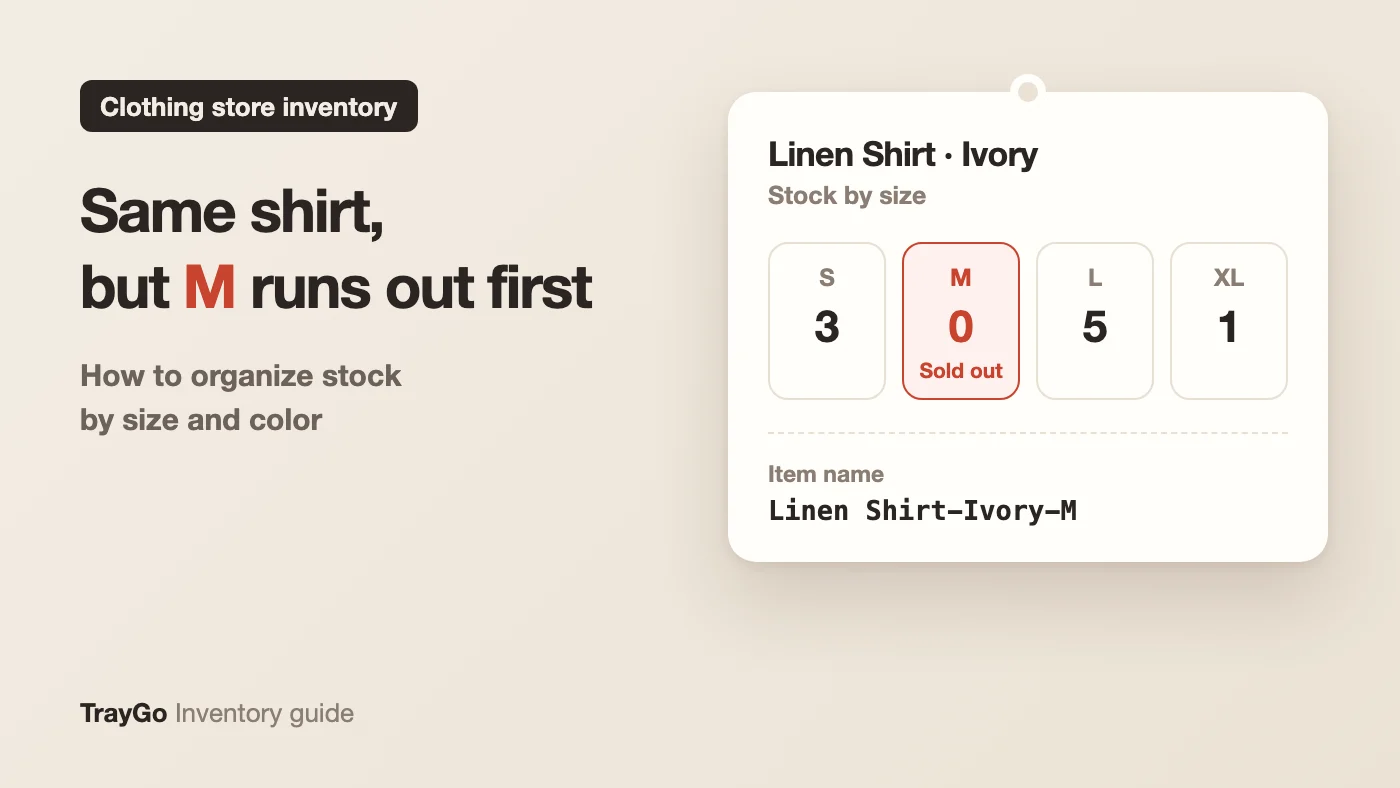
A customer picks up a shirt they love and asks, “Do you have this in a medium?” You check the back. Five larges, zero mediums. Anyone who runs a clothing store knows this moment.
With clothing, stock for the same design is tracked separately for every color and size. Knowing you have “20 shirts” isn’t enough. You need to know how many of each color in each size you have before you can sell them. Here’s how to organize clothing stock by size and color, step by step, so it stops getting mixed up.
3 reasons clothing inventory gets so confusing
One design becomes many itemsA shirt in 3 colors and 4 sizes is 12 things to track. Twenty designs is 240. That's more than anyone can keep in their head.
The best-selling sizes run out firstM and L usually go first, while XS and XXL stay on the rack. The total looks healthy, but the size the customer wants is already gone.
Leftover stock after the season is money tied upIf you find out late which sizes are left, you start markdowns late and make less on each sale.
The example store
A small women’s boutique run by one person. It’s not a real store, just an example to explain the idea.
Twenty designs, but 240 things to count. The first step is making those 240 impossible to mix up.
1. Start with a naming rule
Put the color and size in the item name, always in the same order. The safest order is “Product-Color-Size”.
- Linen Shirt-Ivory-S
- Linen Shirt-Ivory-M
- Linen Shirt-Navy-M
- Wide Pants-Black-L
Stick to the rule and searching gets easy. Type “Linen Shirt-Ivory” and every size in that color shows up at once. Three things to keep in mind:
- Never change the order. If some items are “M-Ivory” and others “Ivory-M”, search gets messy.
- One name per color. Don’t mix “White”, “Off-white” and “Ivory” for the same shade. Pick the name your store uses.
- Put the style number first, if you have one. “SH-102-Ivory-M” makes reordering from your supplier much easier.
2. Use categories for garment types
Categories work best as the types customers shop for: blouses, shirts, dresses, pants, outerwear. If you keep stock both on the floor and in the back, note it in the location field, like “Floor rack” or “Back room, box 2”, so you’re not hunting for it.
3. Set a different alert threshold for each size
One threshold for every size doesn’t work. For fast sellers like M and L, get an alert when 2 are left. For slow sizes like XS and XXL, get an alert at 0. That way you know before a customer has to ask. We explain why stockouts always hit at the busiest time in our article on stockouts.
4. Record sales right away, then check what’s left at season end
If you deduct each piece from inventory as it sells, at the end of the season you can see exactly which colors and sizes are left. Start markdowns early on the designs with the most left over, and you cut your losses when clearing them. Add the sale price too, and you’ll see how much you still make after a discount. More on that in how to check margin by product.
How TrayGo helps
- Add every size at once with "Add several"Add rows on one screen to enter S, M, L and XL together. Choose the category once with "Category (all rows)". For lots of items, fill in the TrayGo Excel template and import them all at once. See our Excel inventory article.
- A separate "Alert Threshold" for each sizeSet a threshold per item and you get an alert when stock drops below it. M can be 2, XS can be 0.
- Find and remove items fast with tag barcodesIf your tags have barcodes, link them to the items. Scan once and that exact color and size comes up.
- Record each sale as a "Sale"With a sale price set, you can see the sales and profit for each item.
Summary
- Clothing stock is tracked per color and size, so you have far more items than designs
- Name items "Product-Color-Size" and one search brings them together
- Use categories for garment types and the location field for where it's stored
- Set higher alert thresholds for fast-selling sizes, lower for slow ones
- Record sales right away and you'll see which sizes are left at season end