


Revenue was up from last month, yet the bank balance barely moved. It was busy, there were plenty of customers, and still. When that happens, it’s usually because you were watching how much you sold (revenue) and not how much you kept (margin).
Here’s one month at a small cafe.
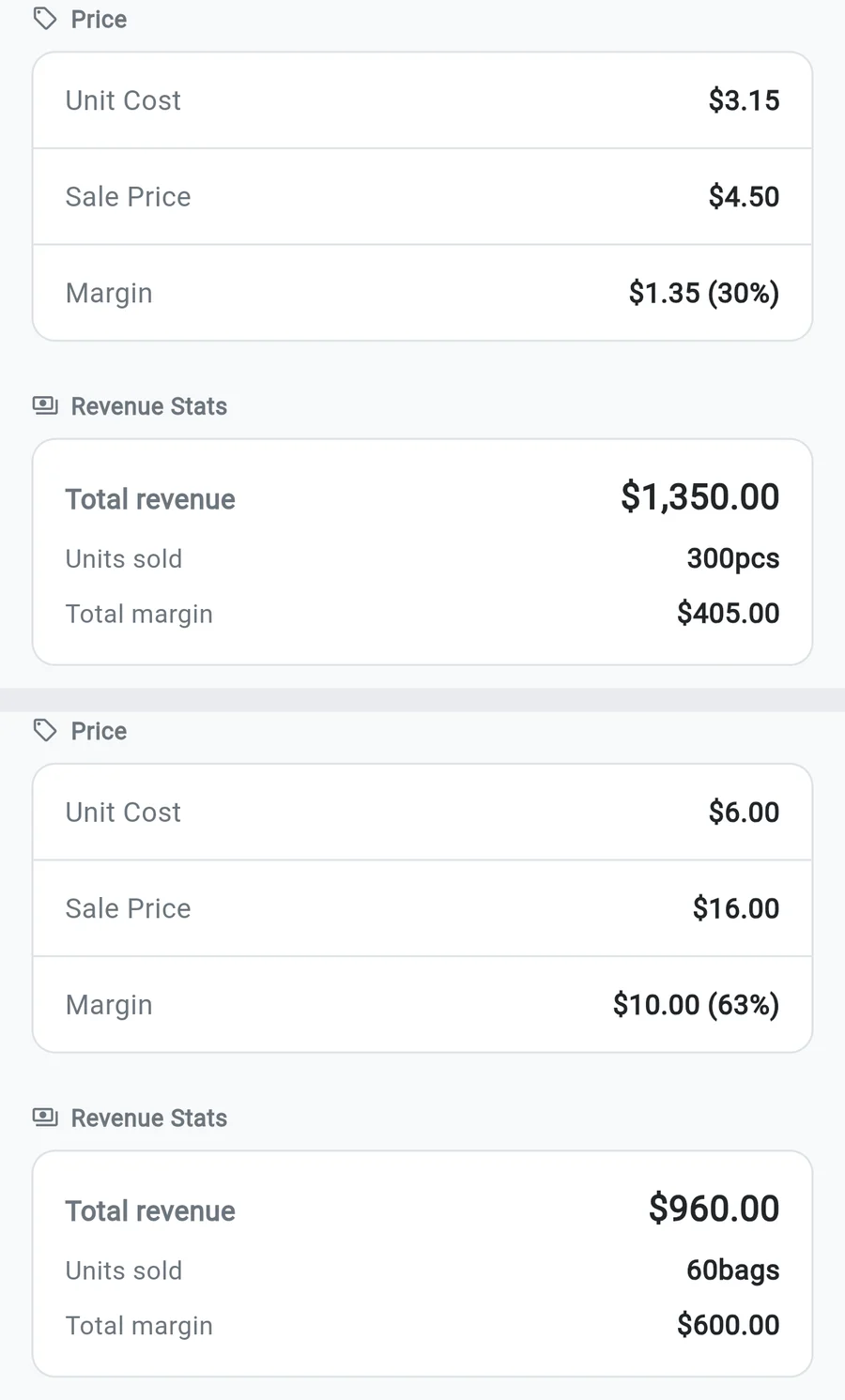
We sold 300 cake slices for $1,350. But each slice costs $3.15 and sells for $4.50, so what’s left is $405. The 200g bags of coffee beans sold only 60, but they cost $6 and sell for $16, which left $600. The cake brought in more revenue, but the beans left more money.
3 reasons nothing is left over
Costs went up, prices didn'tMilk, butter and cups creep up in price, while the menu board stays the same for over a year. The better an item sells, the more quietly its margin shrinks.
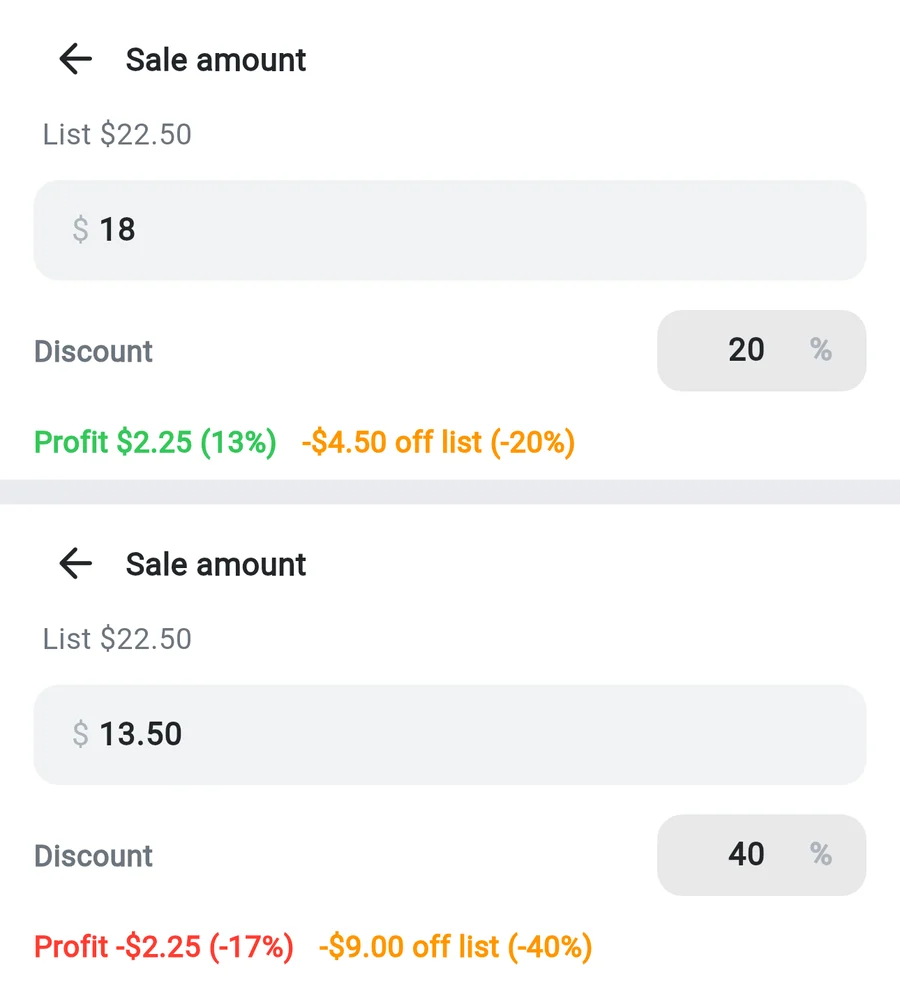
Discounts are a gut callMark down the last cakes before closing by "about 30%, that should do it", and you may keep far less than you think, or even lose money.
Only the best sellers get attentionIt's easy to assume your top seller is your top earner. But as above, an item that sells less but keeps more per sale can be the one actually carrying you.

4 habits that protect your margin
1. Write down both cost and selling price for every item
Margin is the selling price minus the cost. With only one of them written down, you can’t work it out. At least for the things you sell, keep what you pay and what you charge side by side.
2. Check what’s left before you discount
What matters is not the discount rate but what’s left after it. A $4.50 slice at 20% off is $3.60, so you still keep $0.45 a slice. At 40% off it’s $2.70, which is less than the $3.15 you paid for it. But if you hold off on discounting and end up throwing it out, that isn’t margin, it’s a loss.
3. Check the margin on your top sellers
A small drop in margin on a best seller hits the total hard. Look at what each of your top few items keeps per sale. If something sells a lot but keeps little, it’s worth nudging the price up or finding a cheaper supplier.
4. Update the cost as soon as it changes
If your supplier raises prices and your records don’t, you’ll think your margin is what it used to be. The easiest moment to fix it is when the delivery arrives.
Here’s how it works in TrayGo
- Enter the cost and selling priceThe cost goes in the field called "Unit Cost". Fill in both and you'll see right away how much each sale keeps, in money and as a percentage.
- Try a discount when you record a saleChange the discount and the profit is recalculated instantly. If the price means a loss, it turns red.
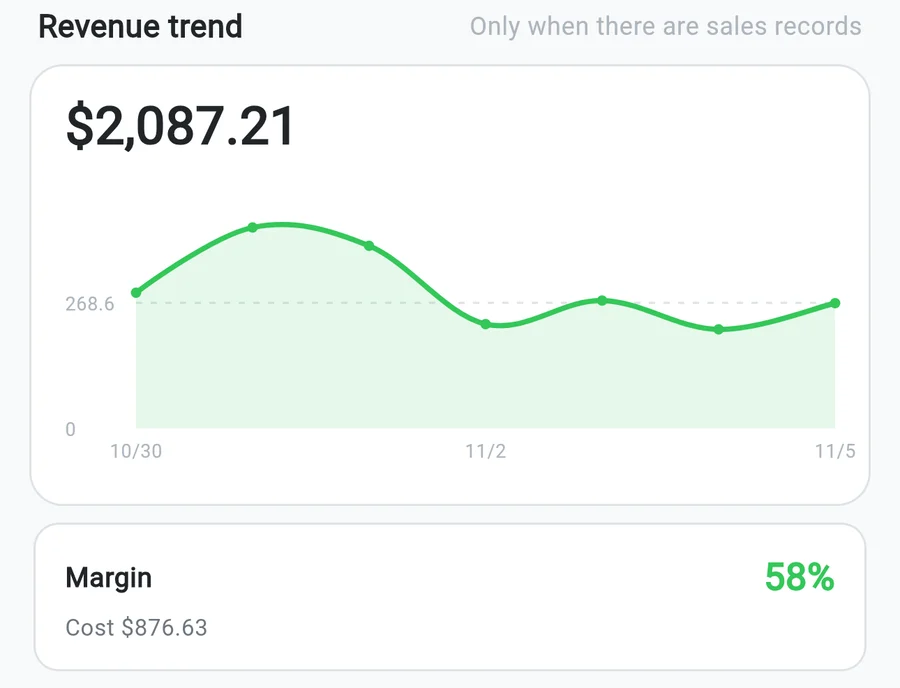
- Check the margin percentage for the whole period in AnalyticsUnder the revenue trend you'll see the margin percentage and total cost for everything sold in that period.
Compare what each item keeps
Open an item and you’ll see what each sale keeps, along with units sold so far, total revenue and total margin. Open a few of your top sellers and the difference between selling a lot and keeping a lot becomes obvious.
Summary
- Revenue is what you sold, margin is what you kept. Look at them separately
- Write down both cost and selling price for the items you sell
- Decide discounts by what's left afterwards, not by the percentage
- Check the margin on your top sellers first
- Update the cost as soon as your supplier's price changes