
Alerts are turned on item by item. It takes about a minute per item.
1. Set the threshold and turn on the switch
- Open the itemOn the Inventory screen, tap the item you want alerts for.
- Tap 'Edit' in the menu at the top rightExpand 'Additional Information' at the bottom of the edit screen.
- Enter a number in 'Low Stock Threshold'The amount at which you think, "time to reorder".
- Turn on the 'Low Stock Notification' switch and tap ✓That's all.
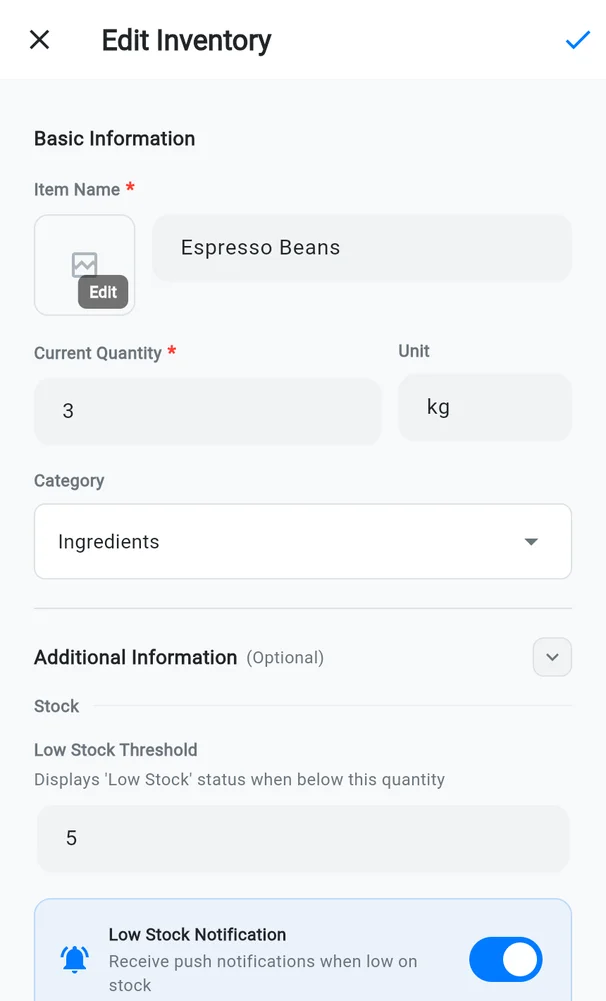
A good threshold is “what you use until the next delivery, plus a little extra”. Pick a rough number to start with and fine-tune it after two or three weeks.
2. When the alert goes off
You get one alert the moment the quantity goes from above the threshold to equal to or below it.
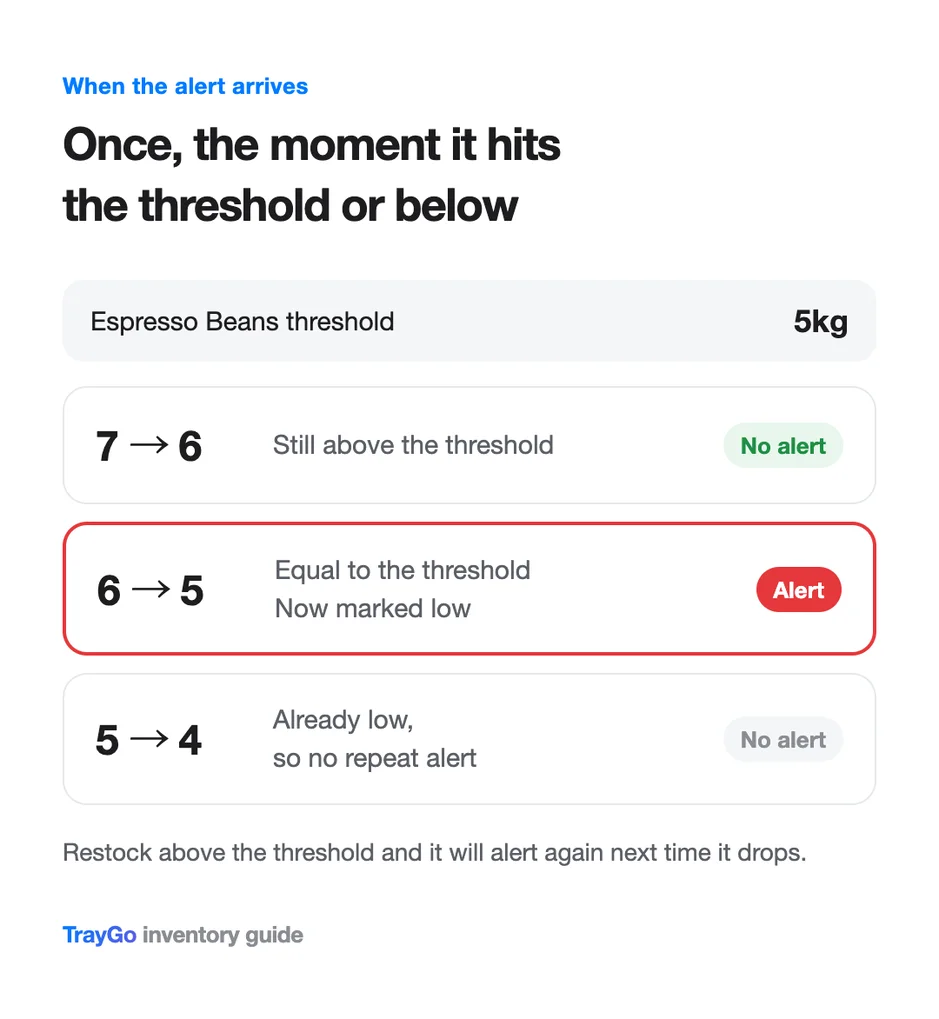
- If it’s already low and keeps going down, you won’t be alerted again.
- Once you restock above the threshold and it drops again, you’ll get a new alert.
- You get at most one alert per item per hour.
3. Who gets it?
Everyone on the same team. Even when the owner is away, it pops up on your staff’s phones right away.
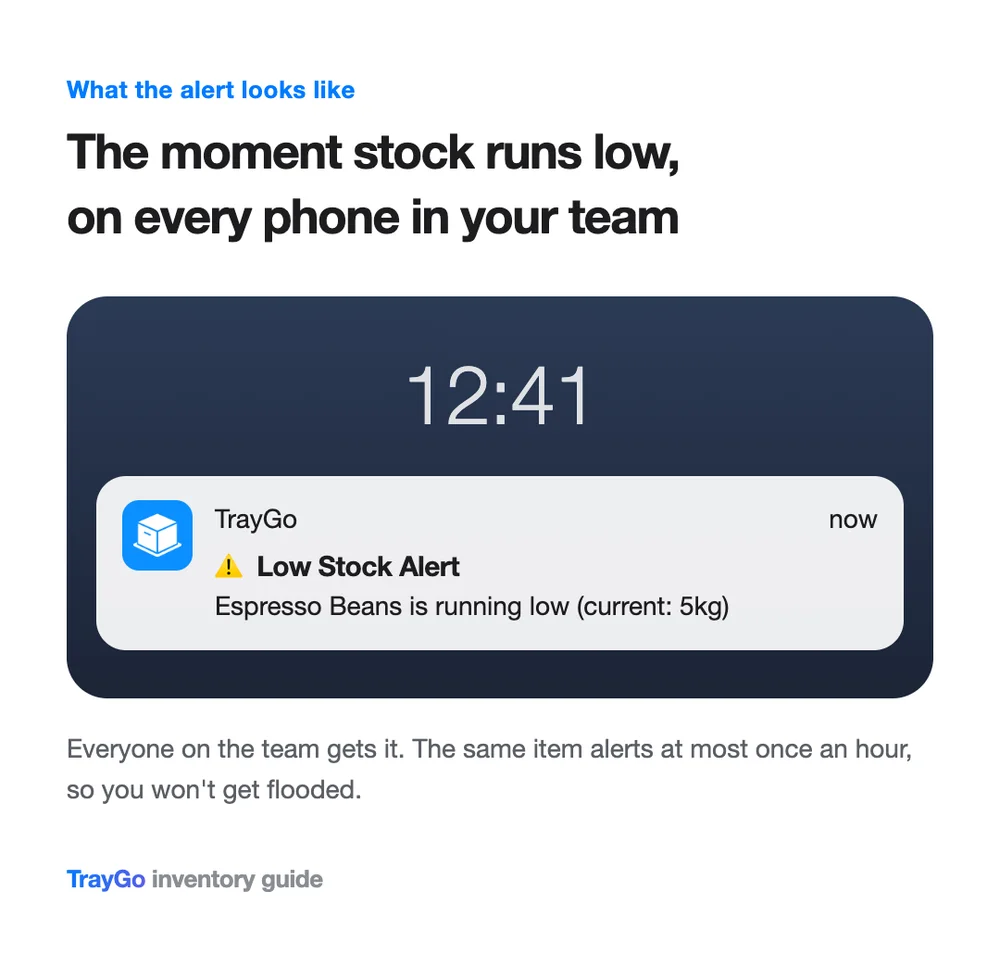
Not getting alerts? Check your phone’s settings to make sure notifications are allowed for TrayGo.
4. Where to look if you missed one
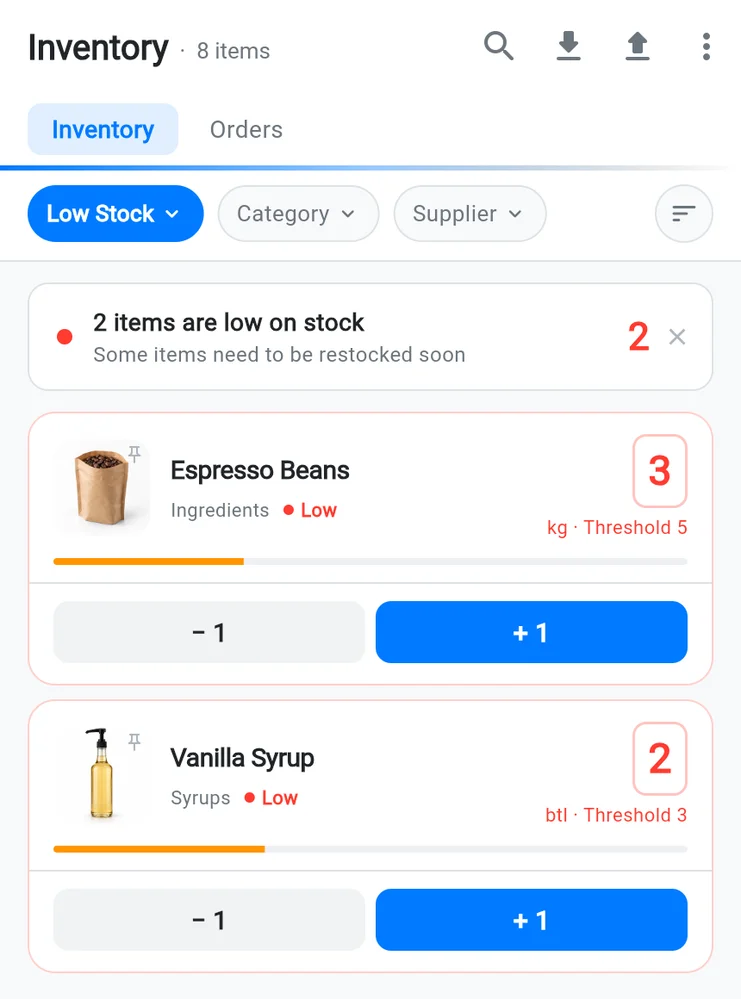
Switch the filter at the top left of the Inventory screen to Low Stock to see only the items running low. The Home screen also shows Low Stock Items right at the top.
Lots of items?
In the Excel template, put the quantity in the Alert Threshold column and Y in the Notification Setting column, then upload it to set everything at once. See Import items from Excel for how.
Low stock alerts work on the Free plan too, with no limits.