

A technician calls from a job site: “Do we have a 6308 bearing left?” You walk the shelves, open a box, and it’s a 6308-ZZ. They needed the 6308-2RS. If you sell or stock parts, you know this moment.
With parts, time leaks out in finding things before it ever shows up in the counts. Let’s put a number on that time with an example, then go through a simple order for setting things up by part number.
Do the math on search time
Take a small shop that handles equipment parts. This is an example for illustration, not a real business.
That’s 90 minutes a day standing in front of shelves, close to a full work week every month. If the same 30 searches took 30 seconds each, the month would cost a little over 6 hours, so about 31 hours come back. Your numbers will be different, so plug in your own count and time.
3 reasons parts inventory gets confusing
Part numbers look alike6308-2RS and 6308-ZZ differ by the last two characters. Scanning box labels by eye, it's easy to grab the wrong one, and that means a second trip to the site.
One part goes by several namesThe manufacturer number, the supplier number and what the crew calls it are all different. If one person writes "6308 bearing" and another writes "motor bearing", the same part becomes two items.
Parts leave for a job and never get loggedWhatever a technician grabs in a hurry gets "written down later," and later never comes. That's how the books say you have it and the shelf says you don't.
1. Put the part number first in the name
Name every item “part number + short description”, always in that order. With the number up front, typing just part of it brings up every similar part together.
- 6308-2RS bearing (rubber seal)
- 6308-ZZ bearing (metal shield)
- AGM70 battery 12V
- CP16 coupling
- One number per part. Use the manufacturer number as the name, and keep supplier numbers in the memo so they’re there when you reorder.
- Tell look-alikes apart in the description. A few words like “rubber seal” or “metal shield” make the difference visible on screen.
- Keep new and used apart with categories. Even with the same part number, make new and used separate items and split them by category.
2. Write the shelf number in the location field
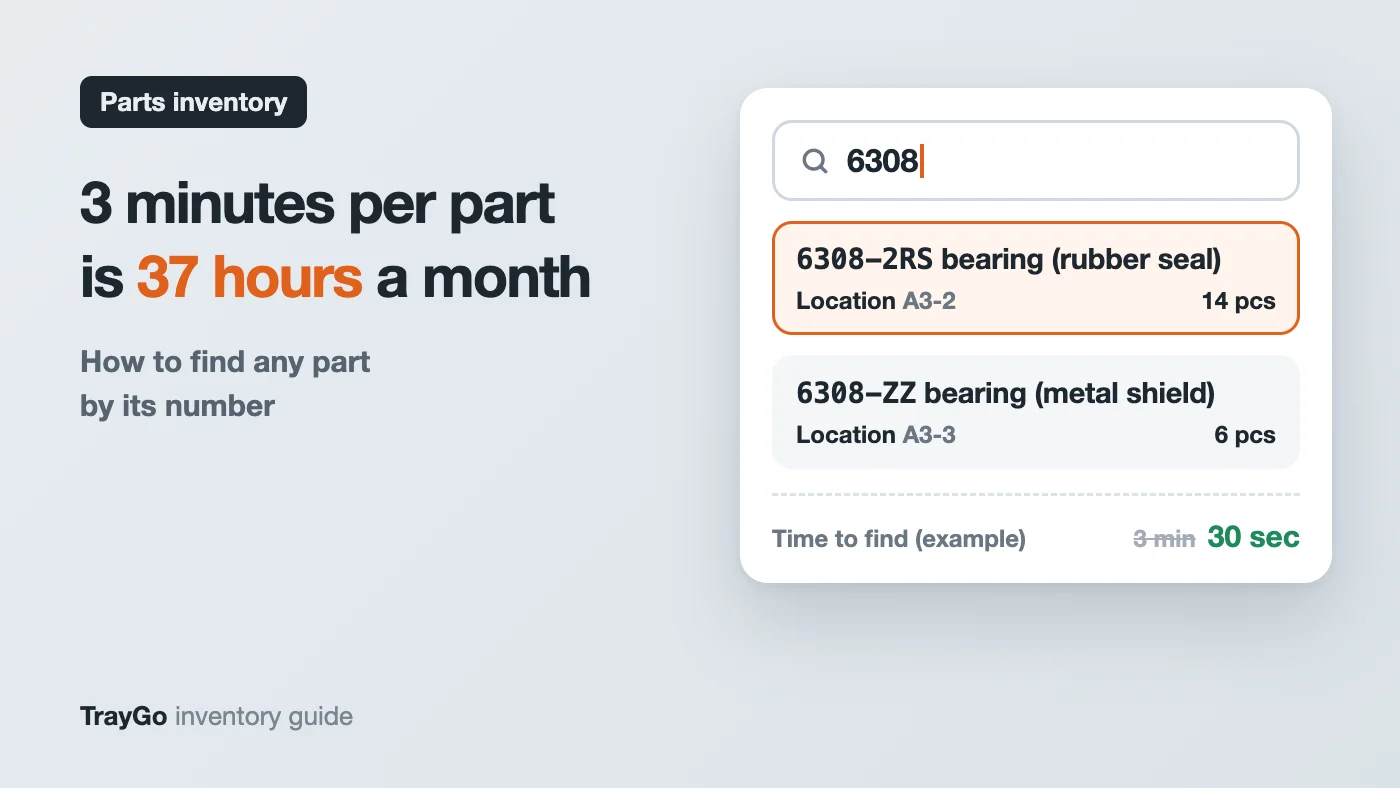
Finding the part number doesn’t help if you still don’t know where it sits. Number your shelves and bins and put it in the location field, like “A3-2”. Search shows the location next to the quantity, so you walk straight to that bin.
3. If the box has a barcode, link it
Parts boxes often come with a manufacturer barcode. Link it to the item and scanning the box pulls up that exact part number. No more comparing the last two characters by eye.
4. Take it out of stock before it leaves
Make it a rule: parts going to a job get removed on the phone before they leave. Record it as “Use” and put the site name in the memo, and you can always check later where it went. For parts you use often, set an alert threshold so you hear about it before you run out. Why stockouts always hit at the busiest time is covered in this post on stockouts.
How it works in TrayGo
- Import part numbers from ExcelWith hundreds of parts, fill in the TrayGo Excel template with part number, description, quantity and location, and import them all at once. See the Excel inventory post for how.
- Search by part of the numberAnything that partly matches shows up, so typing "6308" brings up both the 2RS and the ZZ, along with their locations.
- Scan the barcode to find and removeLink the box barcode to the item and the part number comes up the moment you scan.
- Every removal is logged with who and whenInvite your staff and each removal leaves a record, so when the shelf and the books disagree you can check right away.
One thing to do today
Pick just the 10 parts you look for most. Put the part number at the front of each name and write the shelf number in the location field. Even those 10 will noticeably cut the time you spend in front of the shelves.
In short
- With parts, time leaks out in finding things before it shows in the counts
- Name items "part number + short description" and keep supplier numbers in the memo
- A shelf number in the location field takes you straight to the bin
- Linking box barcodes means no more comparing look-alike numbers by eye
- Make it a rule to remove parts from stock before they leave for a job