


At the end of the year, while you’re tidying up the books, you usually count your stock too. But stand in front of the shelves and the numbers almost never match your records: there are always a few discrepancies. It’s tempting to just overwrite them and move on, but then the same items drift again next year.
Your records alone can’t tell you where those 2 liters went. You only see the gap by counting, and only once you see it can you look for the cause.
3 reasons the numbers drift
You were too busy to log itItems you grab during a rush and plan to log later add up. One or two missed entries a day go unnoticed, but over a year they become a real gap.
You threw it out and didn't record itSpoiled milk or a broken bottle is forgotten the moment it's cleared away. It's still in your records, so the count comes up short. We covered this kind of loss in our post on wasted stock.
It was entered wrong on deliveryYou may mix up cases and individual units, or record a short delivery as the full quantity you ordered. In that case your actual stock can even be higher than your records show.
4 ways to make the count less painful
1. Count when there are no customers, one area at a time
It works best after closing or on your day off. Trying to count everything in one go is tiring and leads to mistakes. Split it into areas, like the fridge, the syrup shelf and the stockroom, and finish one before starting the next.
2. Gather each item in one place before counting
If the same cups are split between under the counter and the stockroom, it’s easy to miss one spot. Bring them together first, and count in the same unit as your records: bottles if your records say bottles, single pieces if they say pieces.
3. Don’t write it on paper to type up later
Writing on paper and entering it later doubles the work, and mistakes creep in when copying. Entering the count right at the shelf is the most accurate. With two people, one counts while the other enters the numbers, and it goes much faster. The same goes for Excel. Where spreadsheets get stuck is covered in our post on Excel inventory.

4. Recount anything with a big difference
If the gap is large, count again first. If it’s still off, jot down the likely cause, like “waste not logged” or “delivery entered in boxes”. Knowing the cause means less drift next year.
Here’s how it works in TrayGo
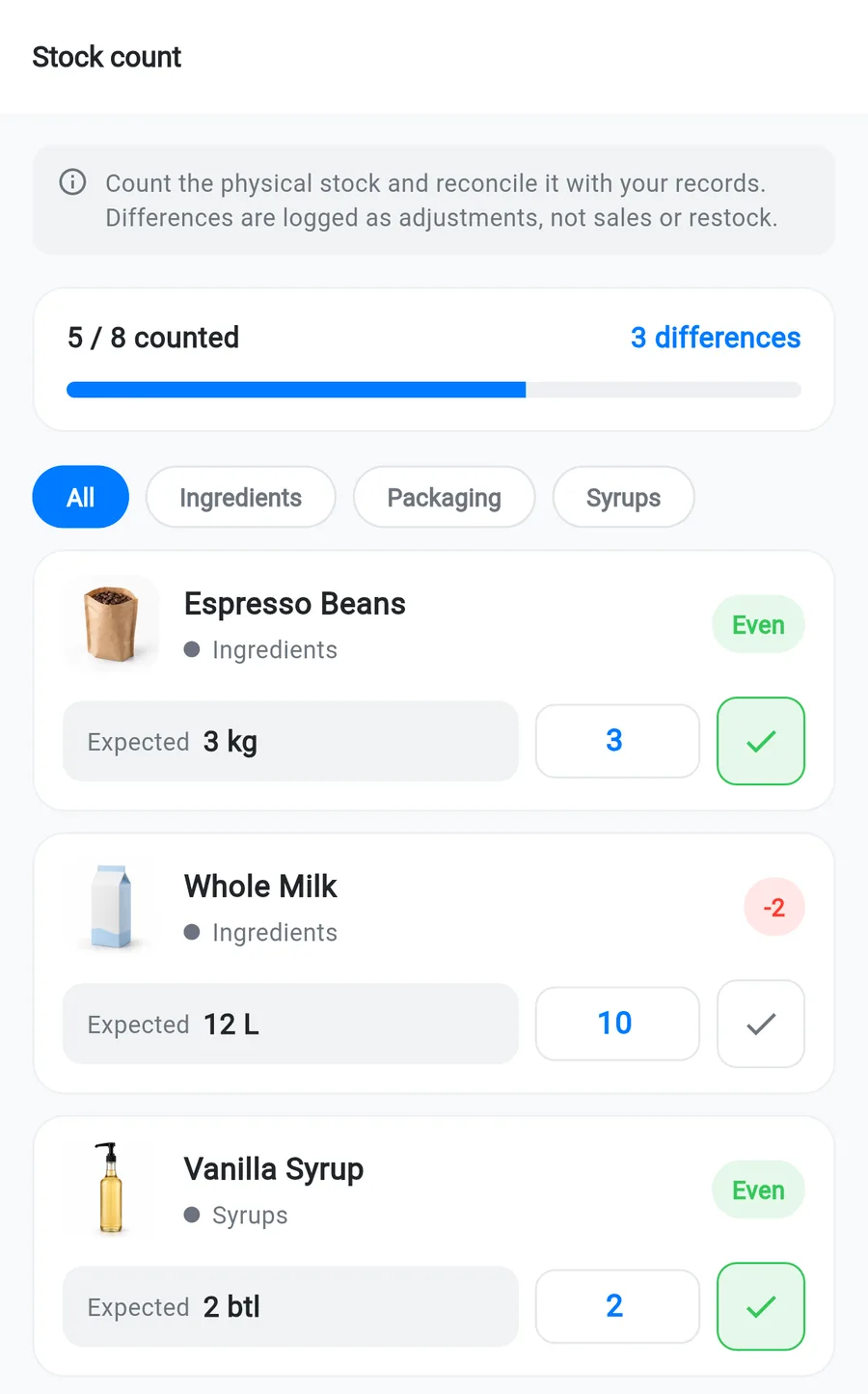
- Start a stock count from InventoryTap the menu at the top right and choose "Start stock count". Each item shows its expected quantity. Type what you counted next to it, or if it matches, just tap ✓.
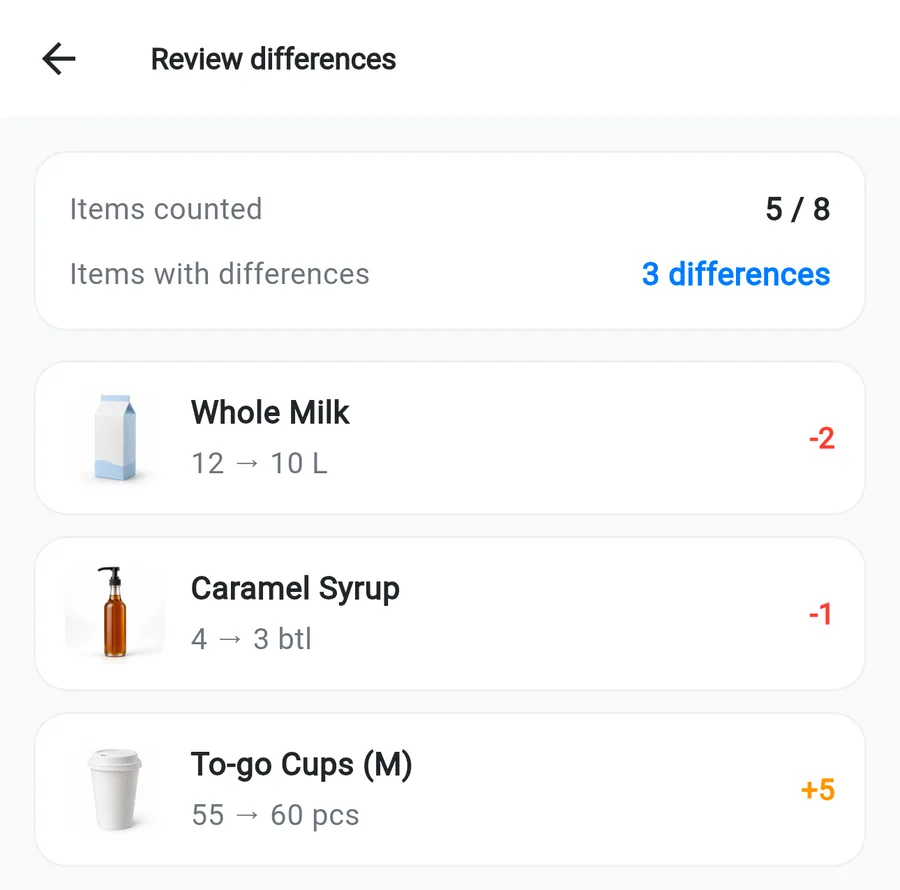
- Check only the items that differWhen you're done, the items that don't match your records are gathered in one place, so you can look them over once more before applying the changes.
- Apply them all at onceDifferences are saved as an "Adjustment", not a sale or a delivery, with a "Stock count" note. If you applied something by mistake, you can undo it from the history.
Counting area by area is fine
Items you don’t count keep their recorded quantity, so you can do the fridge today and the stockroom tomorrow. But the numbers you’ve entered aren’t saved if you leave the stock count screen, so once you start an area, finish counting it and apply the changes. Tap a category at the top to see only that area’s items.
Staff accounts can run a stock count too, so you can divide up the areas and have each person count on their own phone.
Don’t stop at once a year
Reconciling a whole year of differences at once makes the causes hard to find. Count once a month, even if it’s only the items that drift most often. While the gap is small, the cause is easy to spot.
Summary
- It's normal for records and shelves not to match. You only see it by counting
- Most gaps come from things not logged, waste not recorded, or deliveries entered wrong
- Count when there are no customers, area by area, in the same unit as your records
- Recount items with big gaps and jot down the cause
- Once a month is easier than once a year